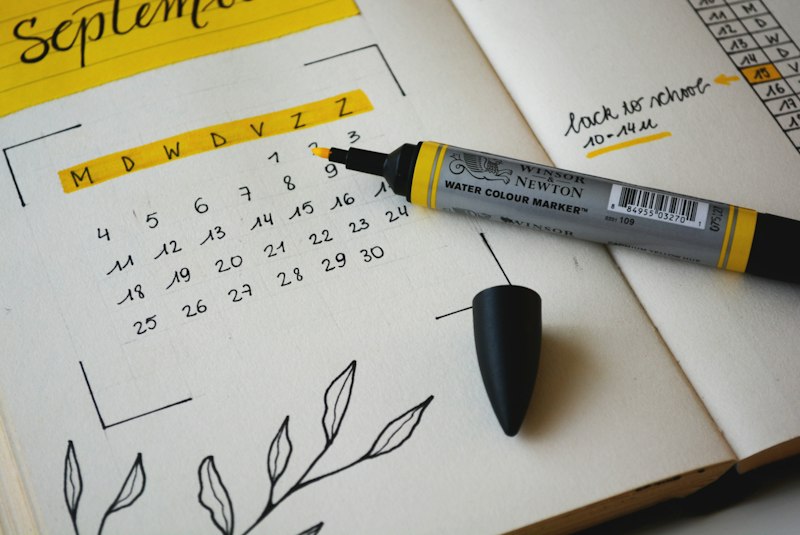
How to Create the Perfect A-Level Revision Timetable
Step-by-step guide to creating an effective A-level revision timetable. Balance subjects, include breaks, and maximise your study time.
Why a Revision Timetable Is Non-Negotiable
A-level exams are the most high-stakes assessments most students face before university. With typically 3–5 subjects and multiple papers each, the volume of content is enormous. Without a structured timetable, students almost always:
- Over-revise subjects they enjoy and neglect weaker ones
- Leave too little time before exams
- Study passively (re-reading) rather than actively (testing)
- Burn out from poor work/rest balance
A good timetable solves all of these problems.
Step 1: Map Your Exams
Start by listing every exam, its date, time, and duration. You can use our free Countdown Timer to track time until each exam.
Create a spreadsheet or use paper with columns for:
- Subject
- Paper/unit
- Date
- Number of topics to cover
Step 2: Calculate Available Study Days
Count the days between today and your first exam. Subtract:
- School/college days (already structured)
- Non-negotiable commitments
- Rest days (at least 1 full day off per week)
This gives your realistic study capacity.
Step 3: Prioritise by Weakness and Weight
Not all topics deserve equal time. Prioritise based on:
Grade impact: Modules with more marks deserve more time. Your weaknesses: Be honest about which topics you find hardest. Time since last studied: Topics covered months ago need more refreshing.
Rate each topic 1–5 (1 = very weak, 5 = confident). Allocate more sessions to lower-rated topics.
Step 4: Build Your Daily Schedule
Recommended structure for exam period:
| Time | Activity | |------|----------| | 8:00–9:00 | Morning review (previous day's material) | | 9:00–11:30 | Subject 1 revision (with Pomodoro breaks) | | 11:30–12:00 | Break | | 12:00–13:00 | Lunch and rest | | 13:00–15:30 | Subject 2 revision | | 15:30–16:00 | Break | | 16:00–17:30 | Past paper practice or weak topic | | 17:30+ | Free time, exercise, social |
Use our free Pomodoro Timer to structure your study blocks.
Step 5: Apply Spaced Repetition
Schedule each topic to be reviewed multiple times at increasing intervals:
- First review: Day 1
- Second review: Day 3
- Third review: Day 7
- Fourth review: Day 14
- Final review: Week before exam
Step 6: Build In Past Paper Time
Past papers should account for at least 30% of your revision time in the final 3 weeks. Complete them under timed conditions, then mark them honestly.
Subject-Specific Tips
Mathematics: Practice daily — even 20 minutes. Do past papers from the earliest date possible. Sciences: Focus on required practicals and mark scheme terminology. English/Humanities: Build quote banks and practise essay plans. Languages: Daily listening and vocabulary is more effective than marathon sessions.
Weekly Planning Template
| Day | Morning | Afternoon | Evening | |-----|---------|-----------|---------| | Monday | Maths (mechanics) | Chemistry (organic) | Biology flashcards | | Tuesday | English essay plan | History past paper | Maths review | | Wednesday | Chemistry practicals | Biology revision | Rest | | Thursday | History (WWI) | English analysis | Past paper marking | | Friday | Maths past paper | Chemistry mark scheme | Free | | Saturday | Weak topic focus | Past papers | Social/rest | | Sunday | Light review | Exercise | Prep week ahead |
Use Our Free Revision Timetable Generator
Skip the setup time with our free Revision Timetable Generator. Add your subjects and exam dates and get a structured weekly plan instantly — no sign-up, no download needed.
Warning Signs Your Timetable Isn't Working
- You feel anxious and unproductive despite "studying" for hours
- You're re-reading the same material without testing yourself
- You're consistently skipping scheduled sessions
- One or two subjects are dominating your time
If any of these apply, rebuild using the steps above with more realistic time slots.
Free Tools for Students — No Sign-Up Required
All our tools are 100% free with no account needed. Try these related tools:
Tags