Technology
8 Best Free AI Image Generators for UK Students in 2026
StudentToolbox Team9 min read8 May 2026
Discover the best free AI image generation tools for UK students. Create stunning visuals for posters, presentations, and social media without spending a penny.
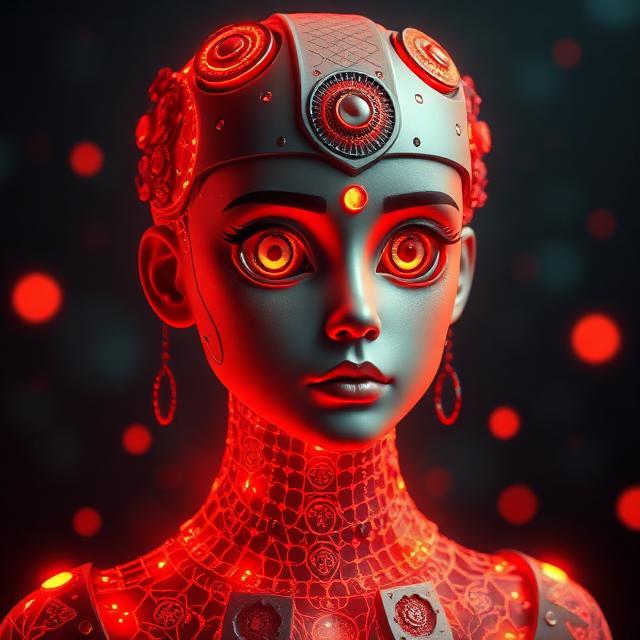
The Rise of Free AI Image Generation in UK Universities. The academic landscape across the United Kingdom is undergoing a massive digital shift. Whether you are a student at the University of Edinburgh or the University of Bristol, the pressure to produce high-quality, professional-looking visual content has never been greater. From complex architectural visualizations to eye-catching posters for your student society, the demand for accessible design tools is at an all-time high. This is where free AI image generation comes into play, offering a bridge between creative vision and technical skill. In this comprehensive guide, we will explore the best tools currently available for UK students to harness the power of artificial intelligence without spending a single pound of their maintenance loan. ## Why Students Need AI Image Tools in 2026. Modern university life requires a multi-disciplinary approach. A marketing student needs to create mock-up campaigns; a history student might want to visualize a Victorian street scene; a computer science student might need unique icons for a mobile app project. Traditional stock photography is often expensive or generic, and hiring a graphic designer is usually out of a student's budget. Free AI image generation platforms allow you to generate bespoke, copyright-cleared visuals in seconds using simple text prompts. These tools not only save time but also level the playing field for students who may not have formal design training but have great ideas. ## Top 8 Free AI Image Generators for 2026. ### 1. Microsoft Designer (Bing Image Creator). Powered by OpenAI's DALL-E 3, Microsoft Designer remains the gold standard for accessibility. It is completely free for anyone with a Microsoft account (which most UK students have through their university Outlook). It excels at understanding complex prompts and is particularly good at rendering text within images—a feat many other models struggle with. For a student project, this means you can generate a flyer that actually has the correct event name on it. ### 2. Leonardo.ai: The Creative Powerhouse. Leonardo.ai has quickly become a favorite among the design community. It offers a generous daily allowance of free 'tokens' that reset every 24 hours. What sets Leonardo apart is the sheer amount of control it offers. You can choose specific models like SDXL or Leonardo Diffusion, adjust the aspect ratio for Instagram stories or academic posters, and even use 'Image Guidance' to upload a sketch that the AI then transforms into a masterpiece. ### 3. Canva Magic Media. Almost every student in the UK already uses Canva for their presentations. Their integrated 'Magic Media' tool brings free AI image generation directly into your workflow. While it has a usage limit on the free tier, its convenience is unmatched. You can generate an image and immediately drag it into a template for a university report. It is the perfect tool for those who need a 'one-stop-shop' for design and AI. ### 4. Adobe Firefly (Web Version). Adobe has integrated its Firefly model into Photoshop, but students can access a free web version as well. Firefly is unique because it is trained on Adobe Stock images, making it one of the most 'commercially safe' AI tools available. If you are working on a project that might eventually be published or used by a real business, Firefly is the safest bet to avoid copyright headaches. Its 'Text to Image' and 'Generative Fill' features are world-class. ### 5. Ideogram 2.0. If your university project involves typography, Ideogram is the tool you need. While other AI generators often produce 'gibberish' text, Ideogram 2.0 is specifically designed to handle lettering perfectly. It is ideal for creating logos for student startups or titles for digital magazines. The free tier is robust enough for occasional use, providing high-quality, 1024x1024 images. ### 6. Stable Diffusion via Hugging Face. For those who want to dive deeper into the tech, Hugging Face hosts several 'spaces' where you can run Stable Diffusion models for free. There is no login required for many of these, though you might have to wait in a short queue. This is excellent for students who want to experiment with different styles without the hand-holding or restrictions found in more commercial apps. ### 7. Playground AI. Playground AI offers a fantastic user interface that feels more like a professional photo editor than a simple prompt box. It allows you to generate up to 50 images per day for free, which is more than enough for most academic assignments. You can use it to 'outpaint' images, extending the background of a photo to fit a specific slide layout. ### 8. Pixlr AI Generator. Pixlr, long known as the 'free web-based Photoshop,' has added a powerful AI suite. It is particularly useful for UK students because it works entirely in the browser—no high-powered laptop required. If you are working on a library computer or a basic Chromebook, Pixlr provides a smooth experience for generating and editing AI art on the fly. ## Mastering Prompt Engineering: Tips for Success. To get the most out of free AI image generation, you need to speak the AI's language. This is known as prompt engineering. Instead of typing 'a cat,' try 'a cinematic, high-detailed portrait of a ginger tabby cat wearing a university graduation cap, sitting in a library, soft bokeh background, 8k resolution.' Always include details about: Subject, Action, Setting, Lighting, and Style (e.g., oil painting, 3D render, or photography). Using these specific descriptors will ensure your visuals stand out in your next seminar presentation. ## Academic Integrity and Ethics. While these tools are incredible, UK universities are still catching up with AI policy. Most Russell Group universities have guidelines stating that AI should be used as an 'assistant' rather than a 'replacement' for your work. Always check your specific department's policy. If you use an AI-generated image in your dissertation or an essay, it is best practice to cite it. You can use our Bibliography Generator to help organize your references. Mention the tool used and the prompt you provided to maintain full transparency with your tutors. ## FAQ. ### Is free AI image generation actually free? Yes, many platforms offer 'freemium' models where you get a certain number of daily credits. For most student projects, these free tiers are more than sufficient. ### Who owns the copyright to AI-generated images? Currently, UK law is evolving, but generally, AI-generated images without significant human input cannot be copyrighted in the traditional sense. However, most platforms allow you to use the images for personal and academic use. ### Can AI generate text correctly? Tools like Ideogram 2.0 and DALL-E 3 are excellent at text, but older models still struggle. Always double-check any text in your generated images for spelling errors. Use our Grammar Checker if you are adding your own captions afterward. ## Conclusion. Embracing free AI image generation can significantly enhance your university experience, giving you the power to create professional-grade visuals for any project. Whether you are building a portfolio or just trying to make your PowerPoint slides look less boring, tools like Leonardo.ai and Microsoft Designer are game-changers. For more tips on how to excel at university using the latest technology, explore the rest of our resources at studenttoolbox.fun.
Free Tools for Students — No Sign-Up Required
All our tools are 100% free with no account needed. Try these related tools:
Tags
free AI image generation
AI art generators for students
best free AI tools UK
DALL-E 3 free
Midjourney alternatives
Canva AI
Bing Image Creator
student productivity tools
AI for university projects
text to image free
free tool
no sign up
student tools
uk students